
Introduction
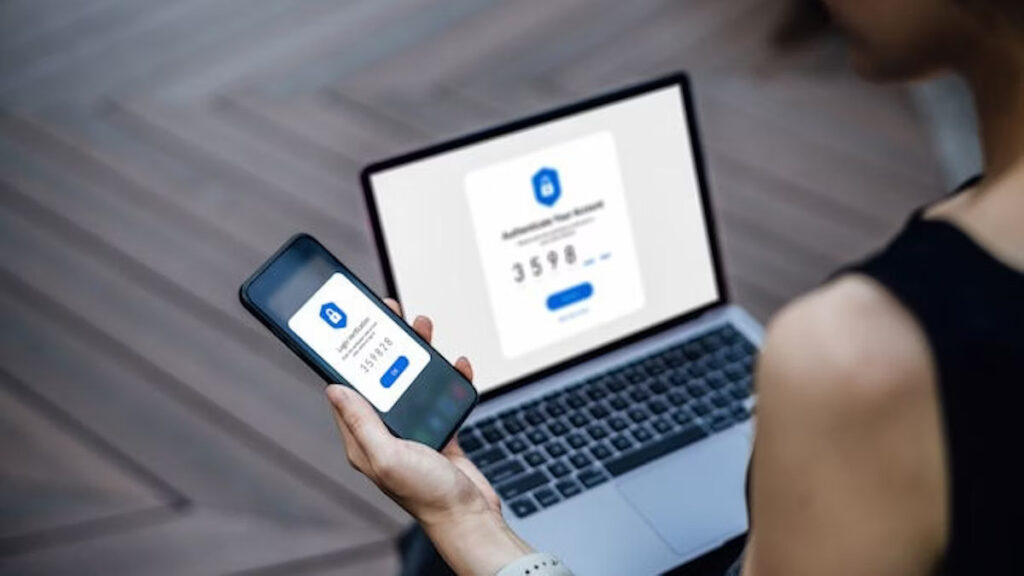
Every 44 seconds, a cyberattack targets businesses worldwide. The average cost of a single cyberattack? $13 million. For companies handling sensitive data, even a single compromised account can lead to severe financial, operational, and reputational damage.Passwords alone are no longer enough. Cybercriminals bypass them through phishing, social engineering, and malware, making additional layers of security essential. Multi-Factor Authentication (MFA) provides that extra layer, requiring verification beyond a password—such as a code sent to a device or a biometric check—to keep accounts and data secure.
What is MFA and How Does It Work?
Multi-Factor Authentication (MFA), also called two-step or two-factor authentication, strengthens account protection by requiring more than just a password. Instead of relying solely on what a user knows, MFA adds factors like devices they own or unique biometric identifiers, making unauthorized access far more difficult.
MFA relies on three categories of verification:
- Knowledge factors: Something you know, such as a password or PIN.
- Possession factors: Something you have, like a smartphone, hardware token, or authentication app.
- Inherence factors: Something unique to you, such as a fingerprint or facial recognition.
Even if one credential is compromised, attackers cannot access the account without the additional factor, making MFA a critical line of defense.
A Typical MFA Process:
- Setup/Registration: Users link extra authentication methods—mobile device, email, hardware token, or authenticator app.
- Login/Authentication: Users first enter their password. Then, the system requests a second factor, like a one-time code, push notification, or biometric scan.
- Verification & Access: Only after all factors are verified does the user gain access.
Some organizations may require MFA every time, while others prompt it only for new devices or unusual locations. Biometric verification, authenticator apps, and hardware tokens are preferred for their high security and resistance to phishing.
Why MFA is Essential for Companies
MFA protects sensitive business data and provides tangible benefits:
Stronger Security Against Threats: Even strong passwords can be compromised. MFA adds additional verification steps, making unauthorized access significantly harder.
Reduced Risk of Unauthorized Access: A stolen password alone is not enough, effectively adding a second lock on critical systems.
Protection Against Phishing and Credential Theft: MFA ensures that attackers cannot gain access with stolen credentials or fake login pages.
Operational Efficiency and Cost Savings: Fewer breaches mean IT teams spend less time on emergency fixes, allowing focus on strategic initiatives.
Scalable and Flexible Solutions: MFA works for organizations of all sizes, from simple SMS codes to advanced biometrics or hardware tokens.
Enhanced Customer Trust: Strong authentication demonstrates commitment to data protection, building client confidence and brand reputation.
Future-Ready Security: Emerging methods like behavioral biometrics and AI-driven authentication keep businesses ahead of evolving threats.
Selecting the Right MFA Method
Choosing the right MFA approach depends on your organization’s risk profile, user base, and operational needs.
Common MFA Options:
- Authenticator Apps : Time-sensitive codes that are highly secure and resistant to SIM swap attacks.
- Biometric Verification : Fingerprints, facial recognition, and iris scans offer convenient, reliable authentication.
- Hardware Tokens : Devices such as YubiKeys store cryptographic keys for secure access.
- Passkeys : Cryptographic keys stored on a device replace traditional passwords.
- SMS/Email OTPs : Simple verification codes, best paired with stronger methods.
- Magic Links & Social Logins: Passwordless login via email or trusted providers for convenience.
- Adaptive Authentication : Adjusts security based on risk factors like location, device, or user behavior.
Factors to Consider When Choosing MFA:
- Risk Level: Sensitive data, such as financial or healthcare information, may require biometrics or hardware tokens.
- User Convenience: MFA should be intuitive and minimize workflow disruption. Authenticator apps often balance security and usability.
- Compliance Requirements: Certain regulations may mandate specific MFA implementations.
- Integration & Scalability: MFA should integrate seamlessly with existing IT systems.
- Accessibility: Ensure employees can use chosen MFA methods, considering device availability and accessibility needs.
- Training: Educate users on MFA setup and proper usage to maximize effectiveness.
Understanding MFA Limitations and Strengthening Security
While MFA greatly reduces the risk of unauthorized access, it is not foolproof. Attackers exploit weak fallback options, “push fatigue,” or SIM swap attacks. Once a malicious actor gains access, MFA cannot prevent session hijacking, token theft, or misuse of valid credentials.
Enhancing Security Beyond MFA:
- Anomaly Detection: Identify logins from unfamiliar devices, locations, or unusual times.
- Session Intelligence: Monitor tokens for suspicious reuse or abnormal behavior.
- Device & Posture Awareness: Ensure access comes from managed devices with updated browsers.
- Behavioral Monitoring: Detect unusual actions, like bulk data exports at irregular hours.
Pro Tip: Combining MFA with behavioral analytics and continuous monitoring creates a stronger, more resilient security posture.
Real-World MFA Examples
MFA is widely used across industries to protect accounts and sensitive data:
- Banking & Finance: Customers confirm transactions using passwords plus OTPs or biometrics.
- Enterprise Security: Employees access internal systems via smartcards, hardware tokens, or authenticator apps.
- E-Commerce Platforms: Passwordless login via magic links or adaptive MFA for unusual purchase activity.
- Cloud Services: Admin access on AWS or Google Cloud requires hardware security keys (FIDO2).
- Social Media: Two-factor authentication via SMS or authenticator apps protects user accounts.
- Healthcare Portals: Patients securely access records using biometrics or security questions.
- Online Gaming: Authenticator apps or SMS-based MFA protect gaming accounts.
- E-Learning Platforms: Students and staff use MFA to securely manage profiles and access resources.
Case Study: SafeBridge, a mid-sized financial services firm, implemented MFA across employee accounts and customer portals. Within 3 months, phishing-related compromises dropped by 80%, and customer trust scores increased by 15%.
Conclusion
Passwords alone are no longer enough to safeguard sensitive business data. Multi-Factor Authentication introduces an additional line of defense against unauthorized access, requiring additional verification beyond a password. By combining knowledge, possession, and inherence factors, MFA significantly reduces the risk of unauthorized access.
However, MFA is just the first line of defense. Integrating it with continuous monitoring, adaptive policies, and behavioral analytics ensures a robust cybersecurity strategy. Companies of all sizes can implement MFA in ways that balance security, usability, and compliance, protecting operations and maintaining customer trust.
From banking to healthcare, e-commerce to cloud services, real-world implementations demonstrate MFA’s flexibility and effectiveness. Strategically selecting the right methods and educating users make MFA not just a security tool but a critical business enabler, helping organizations safeguard data, maintain trust, and stay resilient in a digital-first world.